slotwangi Casino Mobile App
We provide slotwangi as a mobile app for Android devices and as a responsive web application accessible from any browser on iOS, Android, or desktop. The app integrates your account, payment methods (QRIS, e-wallet, mobile banking, local payment, online payment, e-wallet, mobile banking, local payment, online payment, e-wallet), and access to Liga 1 betting, live-dealer tables, slot games, and esports markets in a single interface.

- SHA256 Match
- Installin
- and
Mobile-first design on slotwangi means faster loading, offline-cached market data, push notifications for live match updates, and reduced data consumption compared to the desktop browser version. Account verification, deposits, and withdrawals process identically on app and web—your balance and transaction history sync in real-time across all devices.
Services are available only in jurisdictions where local law permits. Installation requires Android 7.0 or later for the APK, or any modern browser (iOS Safari, Chrome, Firefox) for the web app. Account creation and KYC verification are the same regardless of which platform you use to access slotwangi.
Installation paths for slotwangi
We offer three ways to access slotwangi: native Android APK, iOS via web browser, and web browser on desktop. Each path leads to the same account, balance, and market data. Choose based on your device and preference for app notifications and offline caching.
Your account is the same across all platforms
Log in on Android, then switch to iOS or desktop—your balance, betting history, and account settings remain synchronized. Payment methods, KYC status, and withdrawal requests process the same way regardless of which device you use.
Installation steps for slotwangi
-
1
Download the APK or access via browserGet the app
For Android: download the slotwangi APK file from your email or SMS link; for iOS/desktop: open any browser and go to slotwangi.app.
-
2
Install and launchComplete setup
For Android: tap the APK file and follow the install prompt; for web: the site loads immediately in your browser.
-
3
Create or log in to your slotwangi accountAccount access
Register with email, username, and mobile phone, or enter your existing slotwangi login credentials.
-
4
Verify KYC and depositStart using slotwangi
Complete account verification with your national ID and proof of address (typically 4–24 hours), then deposit via QRIS, e-wallet, mobile banking, or bank transfer to access Liga 1, live tables, and slots.
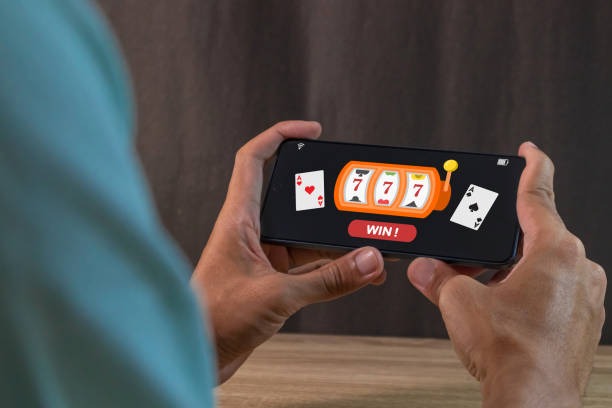
App vs. browser: strengths of each platform
The slotwangi Android app caches Liga 1 fixtures, game information, and match schedules locally, allowing faster loading and offline browsing of upcoming events. Push notifications alert you to live match starts, goal updates during Champions League games, and account alerts (successful withdrawals, bonus credits). The app also minimises data usage by compressing images and reducing server polling compared to the web version.
The web browser version (on iOS, desktop, or Android) requires a live internet connection but avoids app permissions requests and updates. It works on any device without installation, making it ideal for quick access at work or travel. Both versions support the full range of payment methods (local payment, online payment, e-wallet, mobile banking, and bank transfers) and process withdrawals identically. Choose the app for offline convenience and notifications; choose the browser for immediate access and device flexibility.
Device compatibility and system requirements
The slotwangi Android app requires Android 7.0 (API 24) or later. Most devices sold in Jakarta, Surabaya, Bandung, and Medan after 2016 meet this requirement. The iOS web app works on any iPhone or iPad running iOS 12 or later (Safari or Chrome). Desktop browsers supporting modern HTML5, JavaScript, and TLS 1.2 encryption (Chrome 60+, Firefox 55+, Safari 11+, Edge 79+) are compatible. If your device is older, the web browser version may load slowly but will function.

Common installation issues and troubleshooting
If your Android device blocks APK installation with a "harmful app" warning, this is due to Google Play Protect flagging an app signed outside the Play Store. slotwangi is legitimate—disable the warning in Settings → Security → Unknown sources or use an alternative file manager to install. If you see a "certificate error" on iOS or desktop browsers, this indicates your device's security certificate list is outdated; update your operating system and browser. If the slotwangi app crashes on launch, clear the app cache (Settings → Apps → slotwangi → Storage → Clear Cache) or uninstall and reinstall. For persistent issues, contact our support team via the in-app Help centre or email with your device model and Android/iOS version.
slotwangi is built for mobile from the ground up—faster betting on Liga 1, instant notifications on Champions League goals, seamless withdrawals to local payment or online payment.
Data, app permissions, and account security
The slotwangi Android app requests permissions for internet access (required for betting and deposits), camera (for KYC ID photo upload), and local storage (for offline match data and session caching). These permissions are standard and do not allow slotwangi to access contacts, messages, or other apps. Your account credentials are transmitted via TLS 1.2 encryption and never stored on-device in plain text. Push notifications are encrypted and sent via Android Cloud Messaging—you can disable them in Settings → Apps → slotwangi → Notifications at any time. For full details on data handling, see our Privacy Policy
Using slotwangi across devices
Log into slotwangi on your phone during your commute and watch Liga 1 live scores; switch to your desktop at home to place larger bets on Champions League matches. Your balance, account settings, and betting history follow you automatically. Withdrawals requested on mobile process to your verified bank account (BCA, e-wallet, mobile banking, local payment) or e-wallet (online payment, e-wallet, mobile banking) within 24–48 hours, regardless of which device initiated the request.
If you forget your password, use the "Forgot password?" link on the login page—we send a reset email to your registered address. If you lose access to your mobile number, contact our support team via email with your username and a copy of your national ID; we can update your contact details within 2–4 hours during business hours. During major holidays (Idul Fitri, Idul Adha, Imlek), responses may extend to 24 hours.
slotwangi's app and web platform are available only in jurisdictions where local law permits. If you relocate or access from outside supported regions, your account may be automatically locked for verification. Contact support to confirm your jurisdiction eligibility before you travel.
The slotwangi app is designed for users in supported jurisdictions. We do not list download links on third-party app stores to maintain strict access controls. Download only via direct email or SMS from slotwangi to ensure you are installing the legitimate app.